Found Bug: update 1.62 fixes the issue
January 4, 2016 - Reading time: ~1 minute
Problem:
A bug was found that prevents the configuration of VLAN interfaces and loopback interfaces.
The app is giving the error: Invalid interface type or number
Workaround/Fix:
Update 1.62 fixes the issue. Unfortunately, no workaround is available for lower App versions.
The update will be submitted for iTunes approval tomorrow.
We apologize for the inconvenience and appreciate your patience.
Update v1.61 submitted to the App Store
December 12, 2015 - Reading time: ~1 minute
Update: Approved and released 12/19/15
Submitted: 12/12/15
What's new on this version:
prepairing for VoIP by adding DHCP commands:
option 150 ip A.B.C.D
no option 150 ip A.B.C.D
prepairing for VoIP by adding switch priv commands:
show power inline
prepairing for VoIP by adding switch interface commands:
switchport voice vlan <1-4094>
no switchport voice vlan <1-4094>
changed command from ip dhcp exclude-address to ip dhcp excluded-address
added and fixed dhcp commands:
default-router
no default-router
dns-server
no dns-server
updated dhcp address lease process
added results for command: show ip dhcp binding
fixed external keyboard up and down arrows during show --More--
fixed external keyboard CTRL + Z for the (dhcp-config)# prompt
prevented ^z from getting added to the history list
Submitted Crash Log
December 5, 2015 - Reading time: ~1 minute
Problem:
Pinging an invalid IP or invalid FQDN causes the app to crash.
Crash also happens when entering the invalid IP or FQDN on the host's web browser.
Fix/workaround:
This issue is fixed on version 1.60.
Please try to avoid mistyping or entering invalid IP or domain names until the fix.
Invalid domain names includes domains that does not exist like: http://www.thisdomaindoesnotexist.net
Update v1.60 submitted to the App Store
November 30, 2015 - Reading time: ~1 minute
Update: Approved and released 12/10/15
Submitted: 11/30/15
What's new in this version:
changed launch screen
updated iPad user interface
updated line console command to include <0-0>
added line console settings to display when showing configurations
added line console commands:
no exec-timeout
no speed
speed <1200-115200>
fixed default interface command that went missing after the help update
fixed remark on ACL
fixed invalid IP & invalid FQDN checker
fixed issue with NAT not translating properly
removed fake blinking cursor on console screen when an external keyboard is attached
removed keyboard inputAssistantItem toolbar
added error when configuring an invalid interface: %Invalid interface type and number
misc. layer 2 optimization
Sneak peek at the new iPad user interface available on the next update
November 29, 2015 - Reading time: ~1 minute
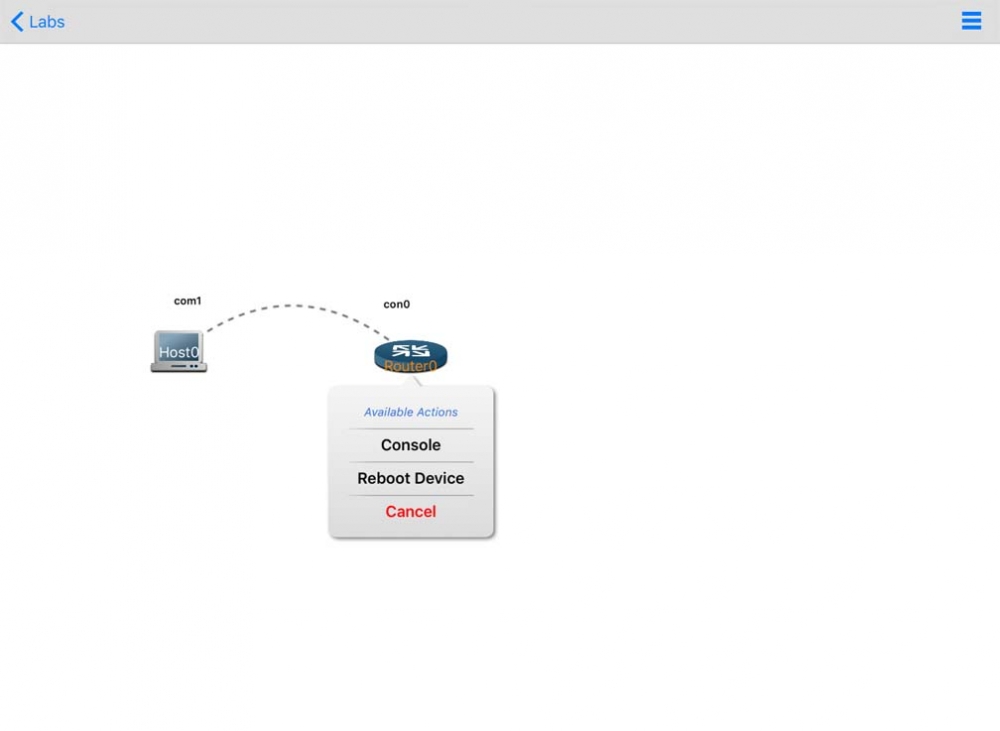
I think you'll like the new user interface for the iPad. The UI will work in both portrait and landscape orientations.
This update will be submitted to the App Store for review within the next few days. Here's a quick screenshot.
Submitted Crash Log
November 25, 2015 - Reading time: ~1 minute
Looks like some folks are having some external keyboard issues when the virtual one is minimized (showing the fake blinking cursor). We'll see what we can do to get it fixed for the next update.
Workaround:
Please leave the iPad virtual keyboard up when using an external keyboard until we get the problem fixed. Thanks for your patience.