Scenario Creation Mode
September 12, 2015 - Reading time: 3 minutes
Available on update version 1.54
First, let's answer the question, what is a scenario? A scenario is the network lab that the IOS Network Simulator team currently provides for download. Scenarios should not be confused with the user created labs that can be freely designed and configured. It has the following characteristics:
- an objective: a scenario will have specific task/s for the user to accomplish
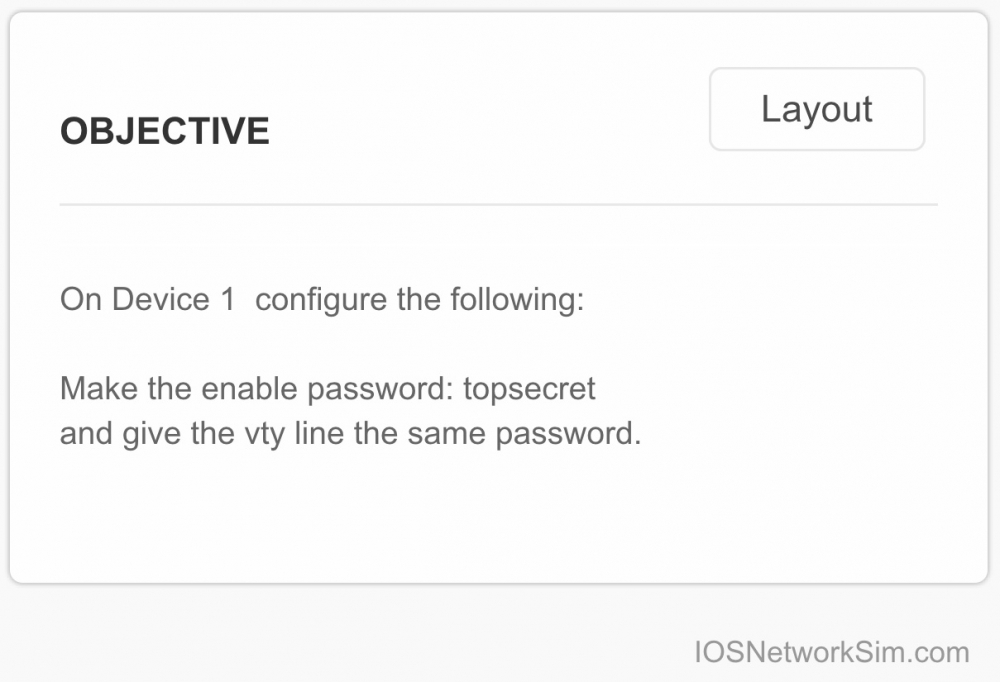
- expected answers: the user can check, based on expected answers, if the task/s are accomplished

- optional blocked commands: helps guide the user to a specific solution, commands are temporarily disabled
example: only allow configuration access to one device
Now that we know what a scenario is ... here's how to create one yourself.
The basics:
New privileged EXEC commands for managed devices (routers and switches):
- configure scenario
- no scenario-config
- no scenario-config all devices
- copy scenario-config running-config
- copy scenario-config running-config all devices
Just to be clear, these new commands are specific to the simulator. You will not find these commands on the real devices.
Use configure scenario instead of configure terminal to start the scenario creation mode. All configuration commands entered while in scenario configuration mode will be flagged as a scenario expected answer. The flagged configurations will show on the answer page as soon as the write memory or copy running-config startup-config command is entered.
Remove the answers from running-config by typing no scenario-config for the current device, or no scenario-config all devices to have it take effect for the whole lab.
The example below configures hostname test as the expected answer.
Router0>enable
Router0#configure scenario

***** Still in testing *****
IOS NETWORK SIM
SCENARIO CREATION MODE
***** Still in testing *****

Enter scenario expected commands, one per line. End with CNTL/Z
Router0(config)#hostname test
test(config)#end
%SYS-5-CONFIG_I: Configured from console by console

test#write memory
Building configuration...
[OK]
test#no scenario-config

Router0#
* Scenario configuration are not saved to startup-config. If you need a configuration copied to startup-config, please use the configure terminal command.
Copy the expected answers back to running-config with the command:
# copy scenario-config running-config
Advance scenario mode commands:
New commands for Host devices:
- disable scenario port lights
- enable scenario port lights
Disable the scenario port lights from any of the host devices with the command:
c:\> disable scenario port lights
Negate with the enable command.
Other global scenario mode commands for managed devices:
- scenario disable command COMMAND_TO_BLOCK
- scenario disable command startswith COMMAND_TO_BLOCK
- scenario disable command endswith COMMAND_TO_BLOCK
- no scenario disable command COMMAND_TO_BLOCK
- no scenario disable command startswith COMMAND_TO_BLOCK
- no scenario disable command endswith COMMAND_TO_BLOCK
- no scenario disable command all
Example usage:
(config)# scenario disable command configure terminal
- makes the device configuration read only
(config)# scenario disable command startswith interface
- interface configuration is not allowed
(config)# scenario disable command startswith router
- dynamic routing configuration is blocked
(config)# scenario disable command endswith fastethernet 0/1
- configuration involving this interface (fastethernet 0/1) is blocked
The command is per device, and the full command needs to be entered, for the block to work.
(config)# scenario disable command conf t
result: configure terminal will not be block because the wrong command (a command shortcut) was used.
Negate the block commands with the prefix no.
(config)# no scenario disable command configure terminal
Sharing of your created scenarios will be available soon. Thank you!